If you've been tracking clients somewhere else — another booking app, a spreadsheet, a notebook, a list in your phone — we'll move them over for you.
We do the import for you, for free. You send us what you've got, we move it into Teddy, you double-check it. No spreadsheets to wrangle, no CSV files to format.
Email [email protected] and let us know you'd like to move your clients over.
Tell us what system you're coming from. Examples: Gingr, MoeGo, DaySmart, Pawfinity, Gpet, a Google Sheet, Apple Contacts, Notes, nothing formal.
We'll tell you exactly what to send us. Usually it's an export file from your old system, or a screenshot of what you have.
We move it in. Most imports are done within a day or two.
Client names and contact info (phone, email)
Pet names, breeds, sizes, and notes
Appointment history (if your old system exports it)
Service preferences and special instructions
Photos. Some old systems don't export photos cleanly. If photos are important to you, let us know and we'll figure out the best approach.
Exact pricing history if your old system doesn't export line items.
Messages/texts from other systems — those usually stay where they are.
We'll be upfront with you about what we can grab and what we can't once we see your export.
Before we move your data, it's worth taking 10 minutes to clean up your source system if you can:
Delete obvious duplicates
Remove old clients you no longer see
Make sure phone numbers are reasonably up to date
You don't have to do this — we can clean up after the import too — but it's easier before.
Once we're done, you'll find your clients in Clients & Pets (tap the hamburger menu → Clients & Pets). Take a minute to spot-check a handful of clients:
Are the names right?
Are the pets attached to the right owners?
Are the phone numbers correct?
If anything looks off, text us. We can rerun pieces of the import or fix things manually.
Absolutely. A lot of new groomers start with Teddy from day one. You can add clients manually as they book, or let them fill out your intake form themselves. Skip this step entirely.
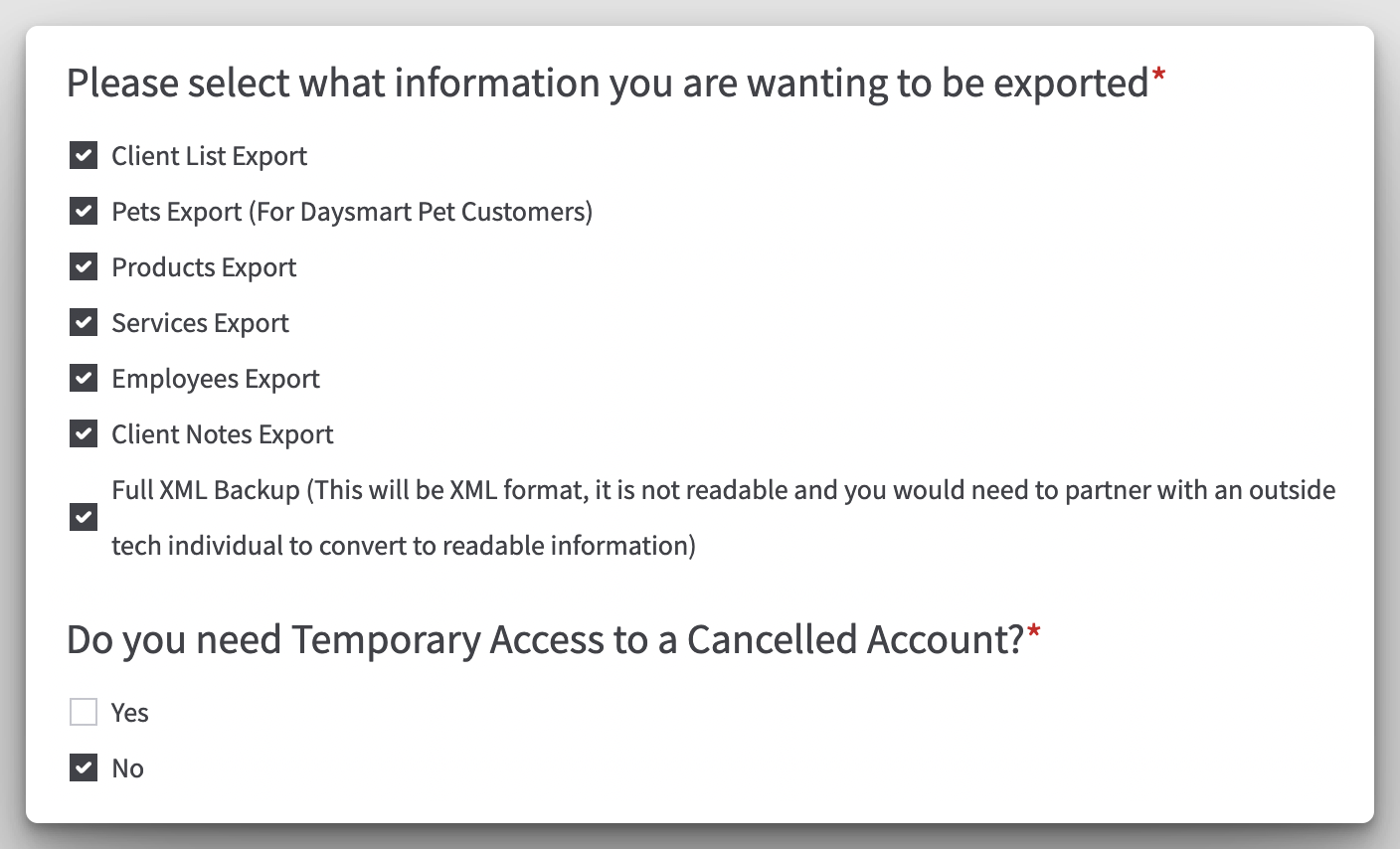
To import your clients from DaySmart, you have to request your data via their online form: https://daysmartsoftware.formstack.com/forms/data_retrieval_request. The form will ask for:
your first name
last name
business name
business phone
business address
Then it will ask you what information you are wanting to export. Select all boxes. When it asks if you need temporary access to a canceled account, click no.
Then sign the form and attach your drivers license.